How VentureWise Works
Your comprehensive guide to using our platform for startup investments and fundraising
Secure Login with MetaMask
VentureWise uses passwordless authentication through MetaMask wallet addresses, providing a secure and seamless experience.
Click on the "Login" button. You'll be prompted to connect your MetaMask wallet to the platform.
For new users, a form will appear asking for your email and role (Investor or Startup). Your wallet address will be pre-loaded from MetaMask.
After login or registration, you'll be directed to your personalized dashboard based on your role (Investor or Startup).
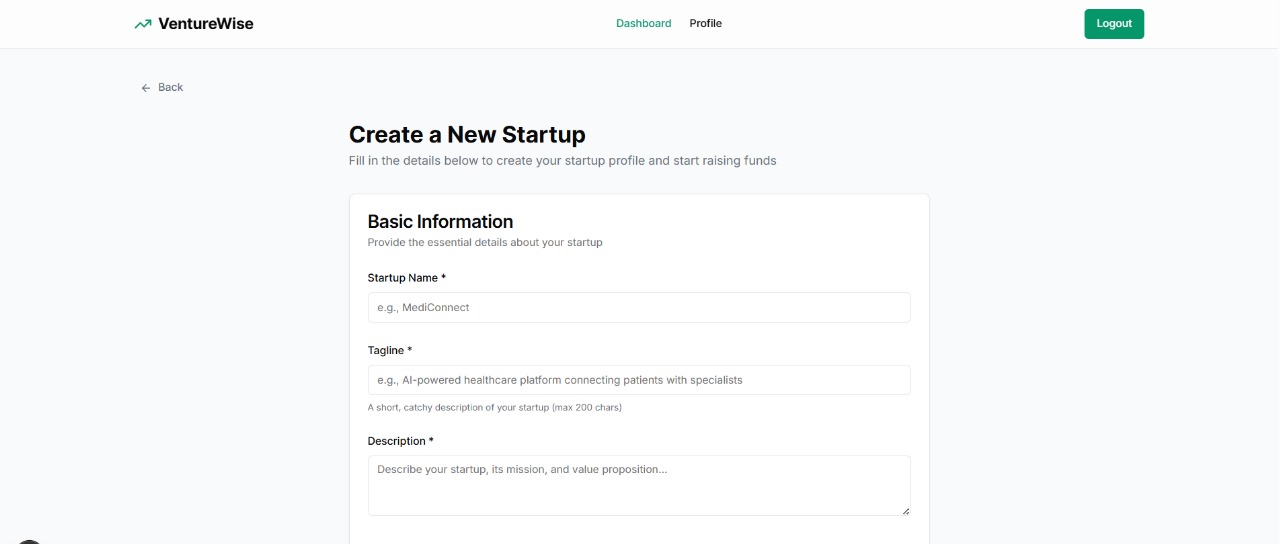
Create Your Startup Profile
Get started by creating a comprehensive profile for your startup. Click on the "Create Startup" button in your dashboard to begin.
- Enter your startup details including name, tagline, description
- Set your funding goals and timeline
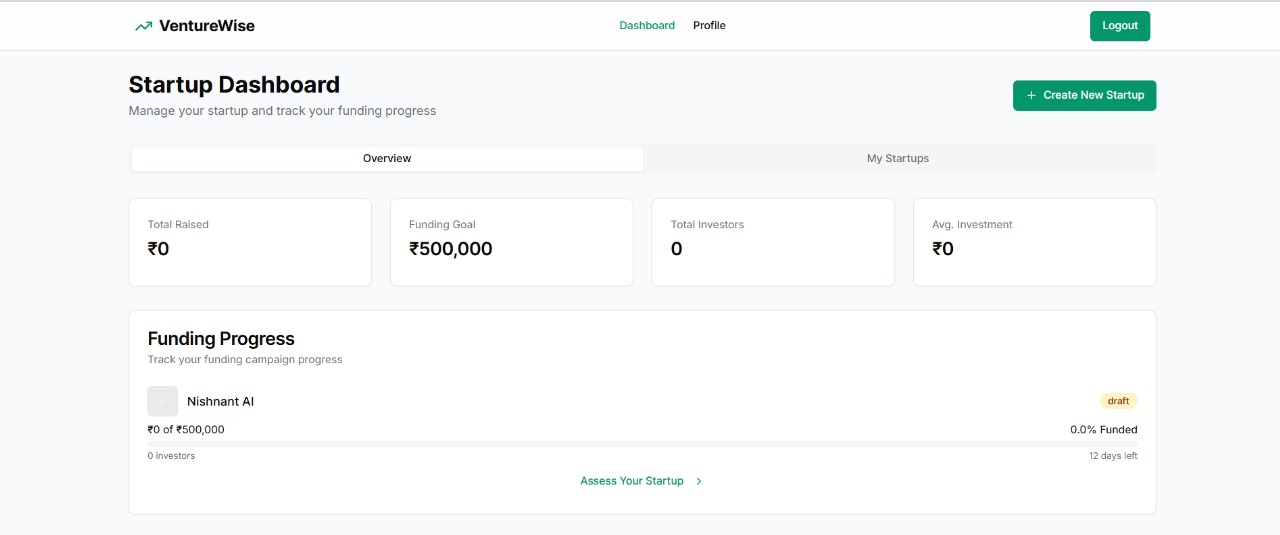
Monitor Your Dashboard
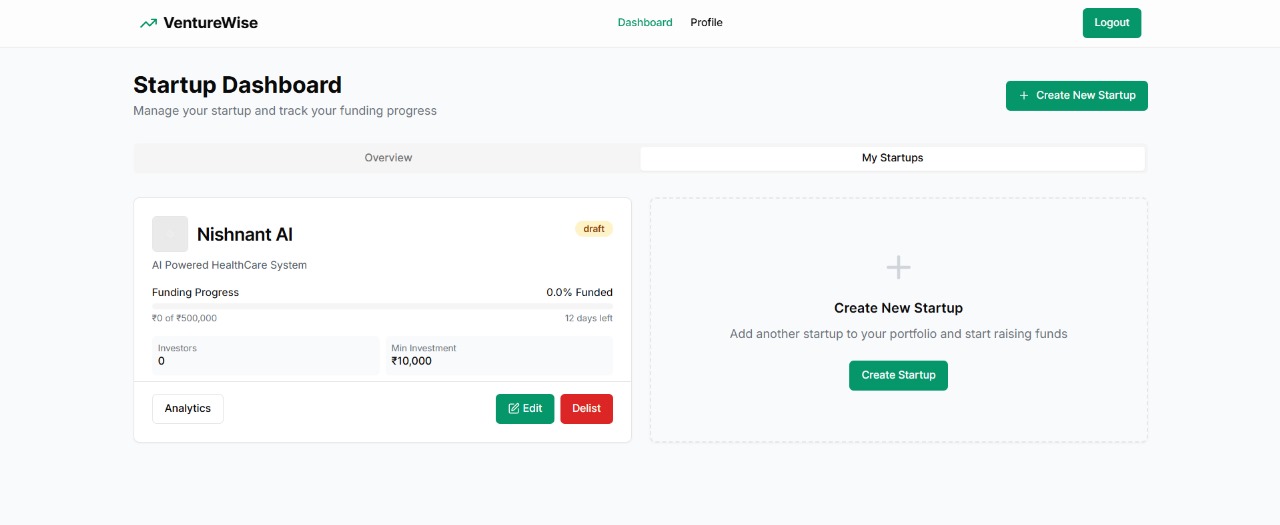
Use your dashboard to monitor all details of your startups, track investments, and manage your fundraising campaign.
- View all your listed startups in one place
- Track funding progress and investor interest
- Monitor key metrics and performance indicators
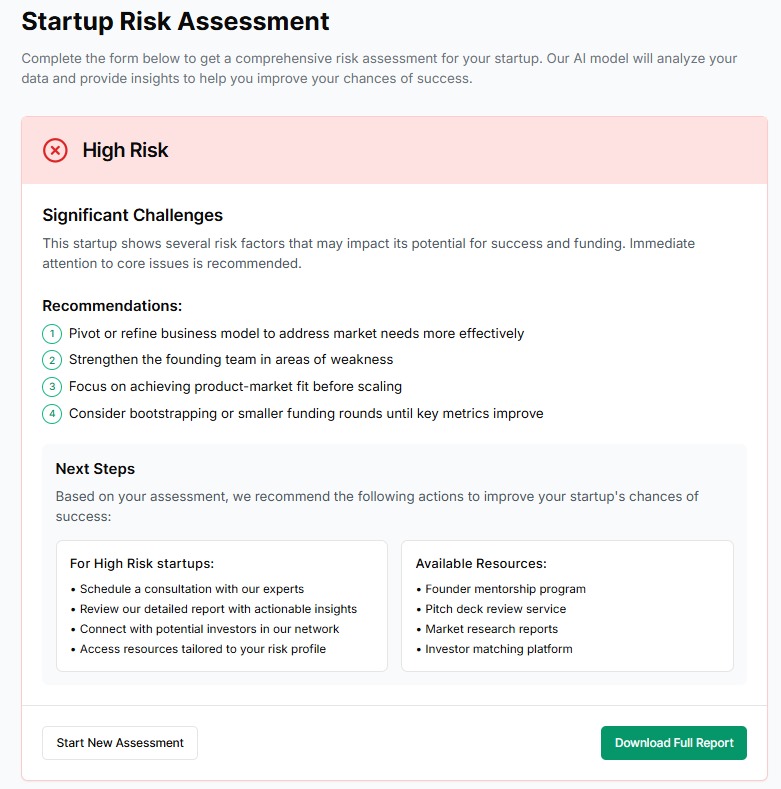
Utilize Risk Assessment
Leverage our AI-powered risk assessment model to identify strengths and areas for improvement in your startup.
- Click the "Assess Startup" button on any of your startup cards
- Receive a comprehensive risk analysis
- Get actionable recommendations to improve your risk score
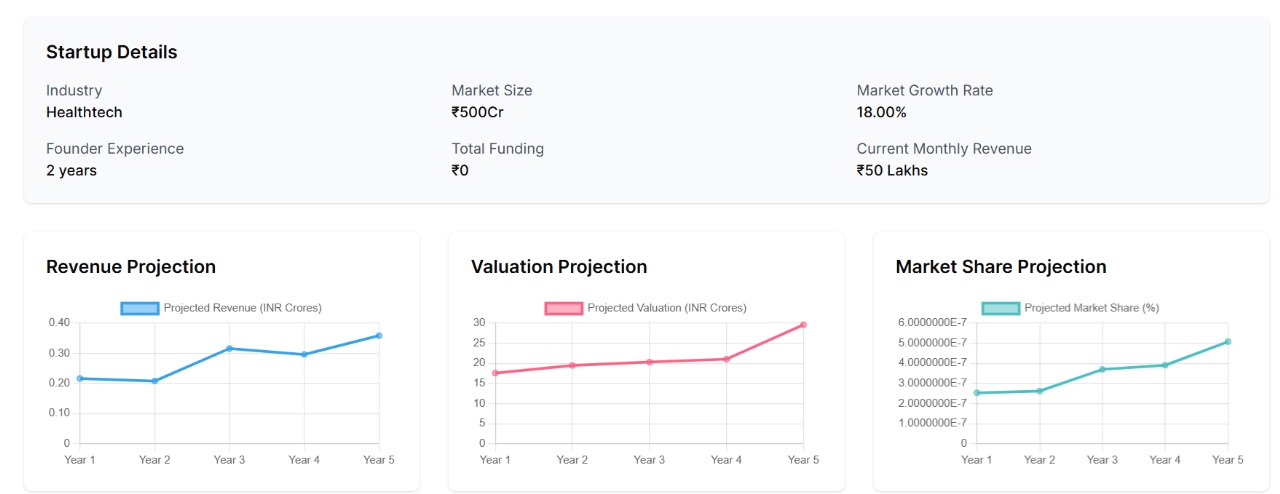
Analyze Growth Trajectory
Use our analytics tools to understand your growth trajectory and make data-driven decisions.
- Click the "Analytics" button to access detailed insights
- View growth projections and market comparisons
- Track investor engagement and funding milestones
Manage Your Startups
Keep your startup information up-to-date and manage your listings effectively.
- Edit startup information under the "My Startups" tab
- Update financials, team information, and milestones
- Delist startups when needed using the "Delist" button
Manage Your Profile
Both investors and startup founders can update their personal information and preferences through the profile section.
Profile Management
Keep your personal information up-to-date and manage your account settings.
- Update your name, email, and profile picture
- Manage notification preferences
- View your connected wallet information
- Update your professional background and interests
